 Nederland
 Belgium (English)
 Deutschland
 Finland
 Ireland
 Luxembourg
 Portugal
 Poland
 Österreich
 France
 España
 Italia
 Sverige
 Danmark
Garmin Edge 1060 Cycle Computer


- Free tracked delivery


Pros & Cons
Pros & Cons
- Microphone and voice control: You can operate the Edge hands-free using your voice and send text and voice messages via the Garmin Messenger app on your paired phone!
- Buttons and touchscreen: Besides voice control, you can operate the Edge 1060 by touching the screen or using the buttons, which is convenient in the rain or when wearing gloves.
- Large yet compact: The 3.5 inch colour display (480 x 800 pixels) sits in a compact, lightweight body (107 mm high, 142 grams). It is the same screen as the Edge 1050, but 28 grams lighter and just a bit shorter.
- Reverse charging: The Edge 1060 can charge another device with the included cable.
- Battery runtime: The Edge 1060 will run for up to 20 hours with demanding use and up to 60 hours in battery saver mode. If you cycle for 2 hours 3 times a week and use the highest setting, you will need to charge it about once every 3 weeks.
- A heart rate monitor, speed sensor and cadence sensor are not included. Features such as Garmin Coach and Power Guide require a heart rate monitor and a power meter.
Specifications
Specifications
| Brand | Garmin | |
| Touchscreen | Yes | |
| Screen size | Large 3.5 inch | |
| Battery Life | 20 hours / 60 hours | |
| GPS Sensor | Yes | |
| Routeplanning | Plan in the Bike Computer / Plan & upload via PC / 'Back-to-Start' function / Plan & upload via Smartphone | |
| 'Back-to-Start' function | Yes | |
| Surprise Me feature | Yes | |
| Map View | Yes |
The Garmin Edge 1060 is the ultimate cycle computer for those who train seriously and enjoy getting off the beaten track on routes they have not explored before. It features a large, bright 3.5 inch colour touchscreen in a body that is more compact and lightweight than that of the Edge 1050. You can control the device using the physical buttons, the touchscreen, and even your voice!
That voice control is the big difference compared to previous Edge models. Whether you want to report a hazard, reply to a message from a cycling buddy, or access a feature, just say it and keep your hands on the handlebars and your eyes on the road! You can send messages via the Garmin Messenger app on your phone.
When navigating, the Edge 1060 thinks along with you. It comes with pre-loaded maps, including MTB trails from Trailforks, and you can add more maps via Wi-Fi. You can choose from route options based on desired duration and bike type, and with Free Flow Routing you can find training routes with fewer stops, junctions and slow sections. You can easily add routes from Strava, Komoot or Ride with GPS. The Up Ahead feature shows you how far away the next stop is that is important to you, such as a café, a water tap or a public toilet. If other cyclists report potholes and road closures, you will automatically receive these alerts.
Get the most out of Garmin Connect for your training: Garmin Coach programmes customise themselves to your recovery and your goals, Real-Time Stamina shows how much energy you have left, and Power Guide offers power targets based on stamina, altitude and wind.
Hands-free voice control
With the built-in microphone, you can control the Edge 1060 using your voice. You can report a road hazard, send a message via Garmin Messenger, or open a feature without taking your hands off the handlebars. Voice control is available in several languages.
Up Ahead
When following a route, you can choose which points you want to see, such as cafés, water points and public toilets. The Edge shows how far away they are so you know exactly when you can top up your water bottle.
Free Flow Routing
This feature helps you find training routes with fewer traffic lights, junctions and slow sections. This way, you can maintain your pace and ride an interval without having to slow down.
Compatible with:
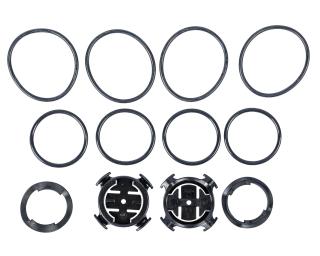
- Garmin quarter-turn mount – the standard mount and the flush out-front mount are included, and mounts from other brands with a Garmin mounting system are also compatible.
- Garmin Edge Power Mount, together with the Garmin Charge Power Pack, for extra power on long rides.
- Sensors with ANT+ or Bluetooth connectivity: heart rate monitors such as the Garmin HRM 600, speed sensors, cadence sensors and power meters such as the Garmin Rally RS210 pedals.
- Electronic groupsets from Shimano Di2, SRAM AXS and Campagnolo – you can connect these directly to the Edge 1060.
- E-bikes with a compatible system, such as the Bosch Smart System and Shimano eBike systems – you can then see your battery status, range and other data on the Edge.
- Garmin Varia radars, radar cameras, headlight cameras and lights, such as the Varia RearVue 820 and Varia Vue. You can control them from your Edge.
- Tacx smart trainers, such as the Tacx NEO 2T, NEO 3M and NEO Bike Plus. View all direct-drive trainers.
- iPhone and Android smartphones with the Garmin Connect app, plus the Garmin Messenger, Strava, Komoot, Ride with GPS and Tacx Training apps.
- Garmin sports watches such as the Forerunner 970, which can also display their data screens on your Edge 1060.
- Garmin inReach devices for messaging without mobile coverage (satellite subscription required, not included).
Not compatible with:
- Cases and screen protectors for the Edge 1050 or other Edge models – the 1060 has slightly different dimensions (58.5 x 107 x 16.3 mm) and requires a dedicated silicone case.
- Mounts with a Wahoo or other non-Garmin attachment.
- Full use without a paired smartphone – messages, GroupRide, Road Hazard Alerts and weather forecasts only work with a paired smartphone running the Garmin Connect app.
Not sure? Here’s how to check:
For sensors, check the packaging or specifications for ANT+ or Bluetooth connectivity; either one is sufficient.
Included as standard:
- Garmin Edge 1060 cycle computer
- Flush out-front mount
- Standard handlebar mount
- Tether (safety cord)
- Charging and data cable
- Documentation
Not included / still required or useful:
- A heart rate monitor, required for Garmin Coach and training insights
- A speed and cadence sensor set
- A power meter, required for Power Guide and Garmin Coach
- A silicone case for the Edge 1060, available in eight colours
- Garmin Edge Power Mount and Garmin Charge Power Pack for extra power on the go
- A mains plug adapter
You can fit the Edge 1060 yourself in a few minutes. It uses the Garmin quarter-turn mount, so place the computer at an angle on the mount and turn it a quarter turn until it clicks into place. You can choose between the standard mount on your handlebars or stem, and the flush out-front mount, which positions the Edge in front of your handlebars within your line of sight. Also attach the tether (safety cord) to your handlebars to ensure the Edge can never fall off the bike.
You can pair the Edge 1060 with your phone using the free Garmin Connect app. The Garmin Edge 1060 User Manual on the Garmin website takes you through the process step by step, including how to pair sensors.
- Set the Up Ahead feature before a long ride and choose which stops you want to see. This way, you can plan your nutrition and hydration breaks along the way without having to search for them.
- Use battery saver mode on multi-day trips to make the Edge last for up to 60 hours. For really long trips, take the Garmin Charge Power Pack with you on the Edge Power Mount.
- Carry a short USB-C cable in your saddle bag. If your phone or rear bike light runs out of power, you can quickly top them up using the Edge when you stop. Reverse charging is intended as an emergency solution and should not be activated while cycling.
- Pair a heart rate monitor and a power meter to make full use of Real-Time Stamina and Power Guide.
- Synchronise with Garmin Connect after every ride. Your Garmin Coach training sessions will then automatically adapt to your recovery.
Will the Garmin Edge 1060 fit on my existing Garmin mount?
What is the difference between the Edge 1060 and the Edge 1050 models?
Is the Garmin Edge 1060 waterproof?
Does the Garmin Edge 1060 come with a heart rate monitor or sensor?
How long does the battery on the Garmin Edge 1060 last?
Can I charge my phone using the Garmin Edge 1060?
Can I load routes from Strava or Komoot onto the Garmin Edge 1060?
Will my Edge 1050 case fit the Garmin Edge 1060?
Do I need to pair my smartphone with the Garmin Edge 1060?
Ask a question about this product

Try in store
Available directly in-store, or order online.


Frequently bought together
Frequently bought together

Recommended by the product specialist
Recommended by the product specialist


Related products
Related products

|

|

|

|
|
| Garmin Edge 1060 | Garmin Edge 1050 | Garmin Edge 1050 Performance Bundle | Garmin Edge Explore 2 | |
| 22 reviews | 4 reviews | 39 reviews | ||
| Touchscreen | Yes | Yes | Yes | Yes |
| Screen size | Large / 3.5 inch | Large / 3.5 inch | Large / 3.5 inch | Medium / 3 inch |
| Battery Life | 20 hours / 60 hours | 20 hours | 20 hours | 16 hours |
| GPS Sensor | Yes | Yes | Yes | |
| Routeplanning | Plan in the Bike Computer / Plan & upload via PC / 'Back-to-Start' function / Plan & upload via Smartphone | Plan in the Bike Computer / Plan & upload via PC / 'Back-to-Start' function / Plan & upload via Smartphone | Plan in the Bike Computer / Plan & upload via PC / 'Back-to-Start' function / Plan & upload via Smartphone | Plan in the Bike Computer / Plan & upload via PC / Plan & upload via Smartphone |
| 'Back-to-Start' function | Yes | Yes | Yes | Yes |
| 799,99 | From 599,95 | From 689,95 | From 239,95 | |
| This product | View product | View product | View product |