 Nederland
 België
 Deutschland
 Finland
 Ireland
 Luxembourg
 Portugal
 Poland
 Österreich
 France
 España
 Italia
 Sverige
 Danmark


- Consegna 3-5 giorni lavorativi
- Consegna monitorata gratuita
- Valutazione Trustpilot 4.7/5
- Restituzione facile


Fai una domanda su questo prodotto

Pro e Contro
Pro e Contro
- The Roam 3 includes ANT+, Bluetooth and WiFi connectivity for easy pairing with sensors and smartphones.
- The 2.8 inch bright colour display with Gorilla Glass is very clear, even in the sun.
- Using the built-in speaker, this cycling computer also features a bell function.
- The Roam 3 is easy to operate both via buttons and a touchscreen.
- A heart rate belt, speed or cadence sensor is not included as standard.
- The Roam 3 is heavier than its predecessor.
Caratteristiche tecniche
Caratteristiche tecniche
| Marca | Wahoo | |
| Circonferenza toracica | 67 cm - 127 cm | |
| Ricaricabile | Sì | |
| Modello di fascia cardio | Fascia toracica | |
| Touchscreen | Si | |
| Dimensione schermo | Medio 2.8 inch | |
| Autonomia della batteria | 25 ore | |
| Sensore GPS | Si | |
| Programmazione Percorso | Programma nel ciclocomputer / Programma e carica tramite PC / Funzione 'Back-to-Start' / Programma e carica tramite smartphone |
Colour display and touchscreen
The Wahoo Elemnt Roam 3 has a brand new colour display with up to 16 million colours to display the map in greater detail than its predecessor, and the user interface has also been revamped. In addition, like the Wahoo Elemnt Ace, the Roam 3 has a touchscreen so it can be operated via the touchscreen as well as the handy buttons.
Revamped user interface
Wahoo has also updated the Roam's user interface. Thanks to an ambient light sensor, the display automatically adjusts to the ambient light. The Quick View LEDs have been replaced by a handy dashboard at the top of the screen, which gives you extra information during your bike ride, and through the Companion App you can select what to use it for. While navigating, it can indicate when a turn is coming up, and if connected with a heart rate or power meter it can show your training zones. Via the renewed sensor dashboard, you can easily link extra sensors to the bike computer, such as a heart rate belt, power meter or turbo trainer.
Additional features
The ELEMNT Roam 3 bike computer has a speaker for additional handy features. For example, it can now provide spoken turn-by-turn instructions and a bell sound. In addition, the map has been given a makeover, where you can now see not only streets but also street names, points of interest and Strava or Summit segments on the map!
Battery life and dimensions
In addition to the touchscreen and revamped interface, the ELEMNT Roam 3 includes a number of changes. For example, the screen is now 2.8 inches and battery run time has been increased to 25 hours. All these extra features make the Roam 3 slightly heavier than its predecessor; it now weighs 108 grams.
Wahoo has duly considered how to work the settings of the device. By pairing the Roam 3 with your phone, you can customise all data fields through your phone. You can also use the app to turn alerts and sounds on or off. In addition, the Roam can be connected to various third-party applications via the Wahoo Companion App.
Turn-by-Turn navigation
Select a location on the map and the Roam 3 will easily navigate to a new location using Turn-by-Turn navigation. The computer will give you clear warnings when you need to turn. If you deviate from your planned route, the new Roam can easily get you back on track. If you want to shorten your chosen route, you can also easily navigate to one of your pre-set locations.
Turbo trainer
The Wahoo ELEMNT Roam 3 can be paired with Wahoo and Tacx turbo trainers if they have ANT+ FE-C. You can use four different programmes to control the trainer. With Route Simulation, it is possible to re-ride a previous route via GPX on the device. The turbo trainer automatically customises the resistance based on GPS coordinates.
WhatsApp notifications
In addition to SMS and phone messages, the ELEMNT Roam 3 also provides notifications from other apps. For example, during your bike ride you can get a pop-up alert upon receiving an email or WhatsApp text. Although this can be very convenient, sometimes you may prefer some peace and quiet as you cycle; you can then easily turn this off by activating the Do Not Disturb mode.
Live Tracking
Share your real-time location using the Live Tracking option. When you activate this, you can also see other Wahoo users on your bike navigation map. And you can easily share your location with friends or family through the Companion App.
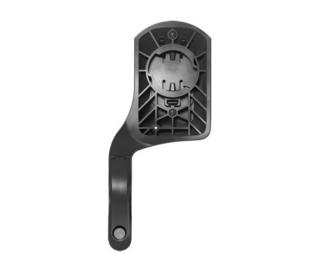
• Aerodynamic out-front mount
• Regular stem mount
• USB-C charging cable
• User manual
Recensioni
Recensioni
Foto dei clienti

Recensioni più recenti
5 / 5
Prodotto top
Molto soddisfatto del mio nuovo roam 3 Ottimo aggiornamento rispetto al mio vecchio roam v1 Lo schermo è molto chiaro e i nomi delle strade sono leggibili. Il touchscreen è una bella aggiunta, ma con il tempo umido a volte lo schermo vuole cambiare da solo tra le schermate di allenamento. Per questo motivo ora l'ho disattivato per impostazione predefinita Il campanello incorporato è divertente ma non è una buona funzione. Un'ulteriore marcia in più Presto lo utilizzerò per una gara di 24 ore, per vedere come si comporta
Pro e Contro
5 / 5
Un bel computer da bici che fa ciò che serve
A tal fine è necessaria l'applicazione wahoo; i computer wahoo più vecchi funzionano con l'applicazione ELEMNT; la parte più semplice è che puoi utilizzare lo stesso codice di accesso per entrambi e i dati vengono sincronizzati.
Pro e Contro
5 / 5
È andata molto bene, grazie ancora
Wahoo Elemnt Roam 3, grande divertimento...
3 / 5
Una battuta d'arresto per me personalmente.
Dopo che il mio Wahoo Roam v1 si è rotto dopo quasi 45000 km (solo 3 ore di durata della batteria), sono alla ricerca di un sostituto. Ho confrontato i pro e i contro di vari modelli di computer da bici su internet e sono finito sul Wahoo Roam v3. Che brutta sorpresa. Con il vecchio Roam potevo zoomare fino a 1 km e vedere tutti i dettagli, come i sentieri forestali, le piste ciclabili e i sentieri di ghiaia, in modo da poter vedere con largo anticipo che tipo di strada avevo davanti a me. Con il nuovo Roam, invece, a volte devo zoomare fino a 200 metri per vedere i dettagli. E per le piste ciclabili, devi attivare le piste ciclabili che appaiono in un colore blu, quasi lo stesso colore dell'acqua. Dopo due corse volevo rimandarlo indietro ma non potevo perché non avevo letto le condizioni prima di volerlo rimandare indietro. Penso che lo metterò presto in vendita e cercherò un'altra marca. Non è il computer da bici che fa per me.
Pro e Contro
5 / 5
Prodotto top
Funziona bene. Mi piace molto anche la funzione campanello.
Pro e Contro
5
Prodotto top
Molto soddisfatto del mio nuovo roam 3 Ottimo aggiornamento rispetto al mio vecchio roam v1 Lo schermo è molto chiaro e i nomi delle strade sono leggibili. Il touchscreen è una bella aggiunta, ma con il tempo umido a volte lo schermo vuole cambiare da solo tra le schermate di allenamento. Per questo motivo ora l'ho disattivato per impostazione predefinita Il campanello incorporato è divertente ma non è una buona funzione. Un'ulteriore marcia in più Presto lo utilizzerò per una gara di 24 ore, per vedere come si comporta
-
Ricalcolo più veloce dei percorsi
-
Schermo più chiaro rispetto al mio vecchio wahoo
5
Un bel computer da bici che fa ciò che serve
A tal fine è necessaria l'applicazione wahoo; i computer wahoo più vecchi funzionano con l'applicazione ELEMNT; la parte più semplice è che puoi utilizzare lo stesso codice di accesso per entrambi e i dati vengono sincronizzati.
-
Controllo a pulsanti e touchscreen
-
Facile da installare
-
Funzione di chiamata
3
Una battuta d'arresto per me personalmente.
Dopo che il mio Wahoo Roam v1 si è rotto dopo quasi 45000 km (solo 3 ore di durata della batteria), sono alla ricerca di un sostituto. Ho confrontato i pro e i contro di vari modelli di computer da bici su internet e sono finito sul Wahoo Roam v3. Che brutta sorpresa. Con il vecchio Roam potevo zoomare fino a 1 km e vedere tutti i dettagli, come i sentieri forestali, le piste ciclabili e i sentieri di ghiaia, in modo da poter vedere con largo anticipo che tipo di strada avevo davanti a me. Con il nuovo Roam, invece, a volte devo zoomare fino a 200 metri per vedere i dettagli. E per le piste ciclabili, devi attivare le piste ciclabili che appaiono in un colore blu, quasi lo stesso colore dell'acqua. Dopo due corse volevo rimandarlo indietro ma non potevo perché non avevo letto le condizioni prima di volerlo rimandare indietro. Penso che lo metterò presto in vendita e cercherò un'altra marca. Non è il computer da bici che fa per me.
-
Durata della batteria
-
Schermo tattile
-
Per i dettagli, è necessario effettuare uno zoom.
Spesso acquistati insieme
Spesso acquistati insieme

Consigliato dagli specialisti del prodotto
Consigliato dagli specialisti del prodotto


Prodotti simili
Prodotti simili

|

|

|

|
|
| Wahoo ELEMNT Roam 3 | Hammerhead Karoo 3 | Wahoo ELEMNT Ace | Coros Dura Solar GPS | |
| 11 Recensioni | 36 Recensioni | 10 Recensioni | 8 Recensioni | |
| Circonferenza toracica | 67 cm - 127 cm | |||
| Ricaricabile | Sì | |||
| Modello di fascia cardio | Fascia toracica | |||
| Ordina anche: pellicola protettiva | Senza pellicola protettiva / Con pellicola protettiva | Senza pellicola protettiva / Con pellicola protettiva | ||
| Touchscreen | Si | Si | Si | Si |
| Dimensione schermo | Medio / 2.8 inch | Medio / 3.2 inch | Grande / 3.8 inch | Medio / 2.7 inch |
| Da 393,17 | Da 352,84 | Da 463,75 | 282,26 | |
| Questo prodotto | Vedi prodotto | Vedi prodotto | Vedi prodotto |